 Badminton
Score Badminton matches for up to 4 players simultaneously. Each player sees the scoreboard on their smartphone and Garmin smartwatch. MVPlayer acts as a virtual umpire, announcing the score aloud via your phone after every point. So you can focus on the game, not the score.
Quick Start Guide
Getting Started
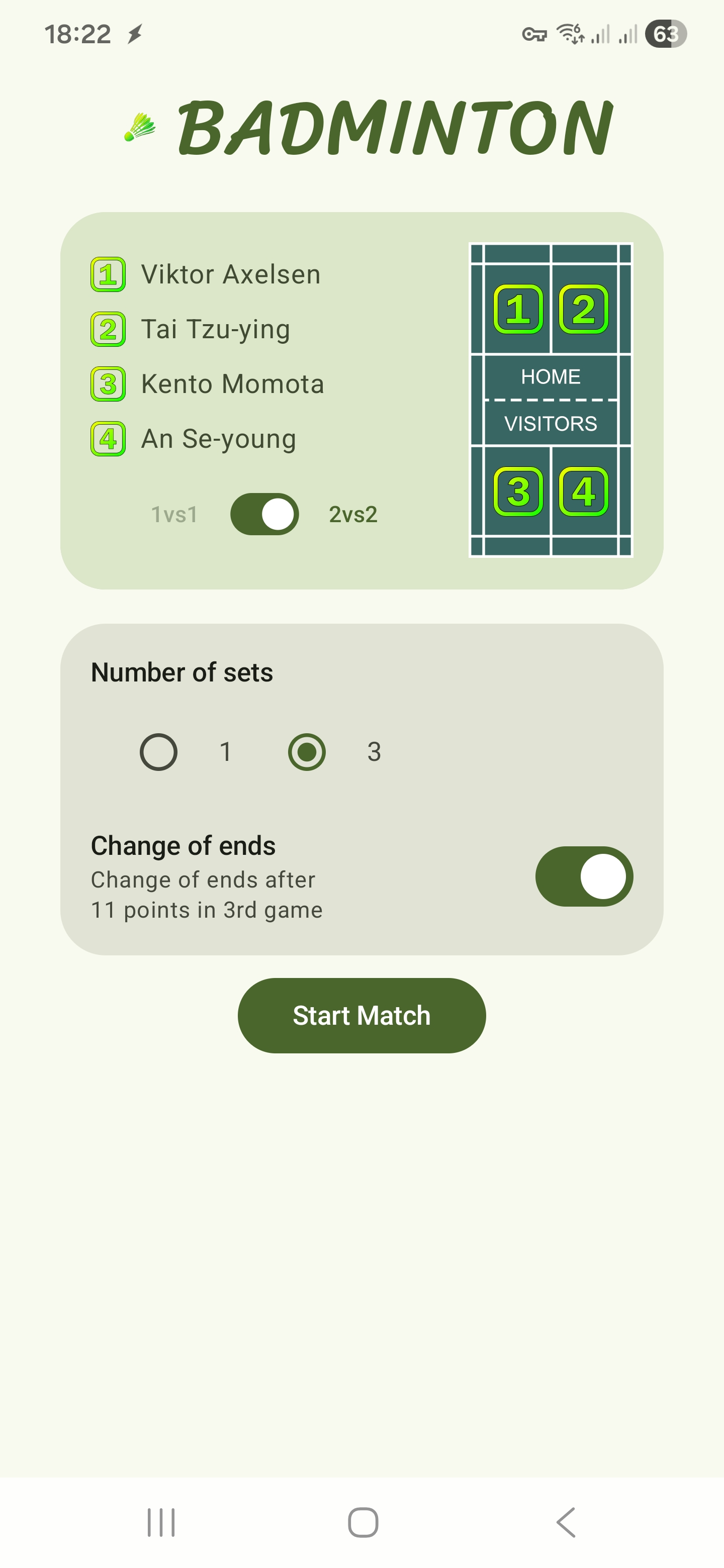
- Press Play from the MVPlayer Home screen.
- Choose a game lobby.
- Confirm court spots and match settings.
- Place the scoreboard perpendicular to the net.
- You play, We score!
The Badminton Game Lobby
Up to 4 players can join the game lobby, take their court positions, and agree on match preferences like the number of sets and deuce format. Once everyone is ready, the match can begin!
The Scoreboard
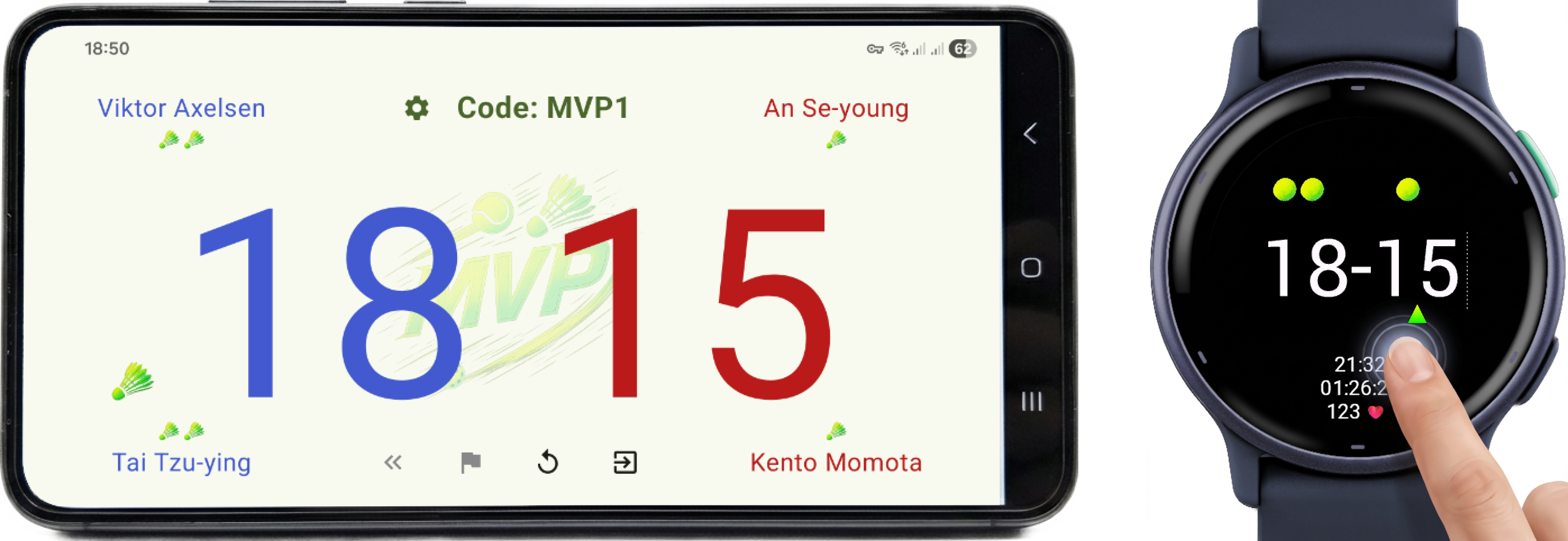
The live display shows player names, detailed match scores, and a visual serve marker indicating exactly where the next serve should be taken. Scores sync instantly across all connected devices.
Scoreboard Screen Controls
Manage the scoreboard:
 Player and match preferences. 1
 Correct to previous scores (Undo).
 Forfeit the game.
 Reset the match. 2 Press again to switch the starting serve to the other team.
 Exit the match completely and return all players to the Home screen. 2
Garmin Watch Controls
Manage the game entirely from your wrist:
- Tap Bottom Half: Add point for your team.
- Tap Top Half: Add point for opponent team.
- Tap Right Side: Correct to previous scores (Undo).
- ESC Key: Reset the match. 2 Press again to switch the starting serve to the other team.
- ENTER Key: Open the menu to Stop, Save, or Resume the Activity session.
1 Changing match settings mid-game will reset the match.
2 Match results will be saved automatically if the match has already ended.
Have more questions? Check out the Badminton FAQ.